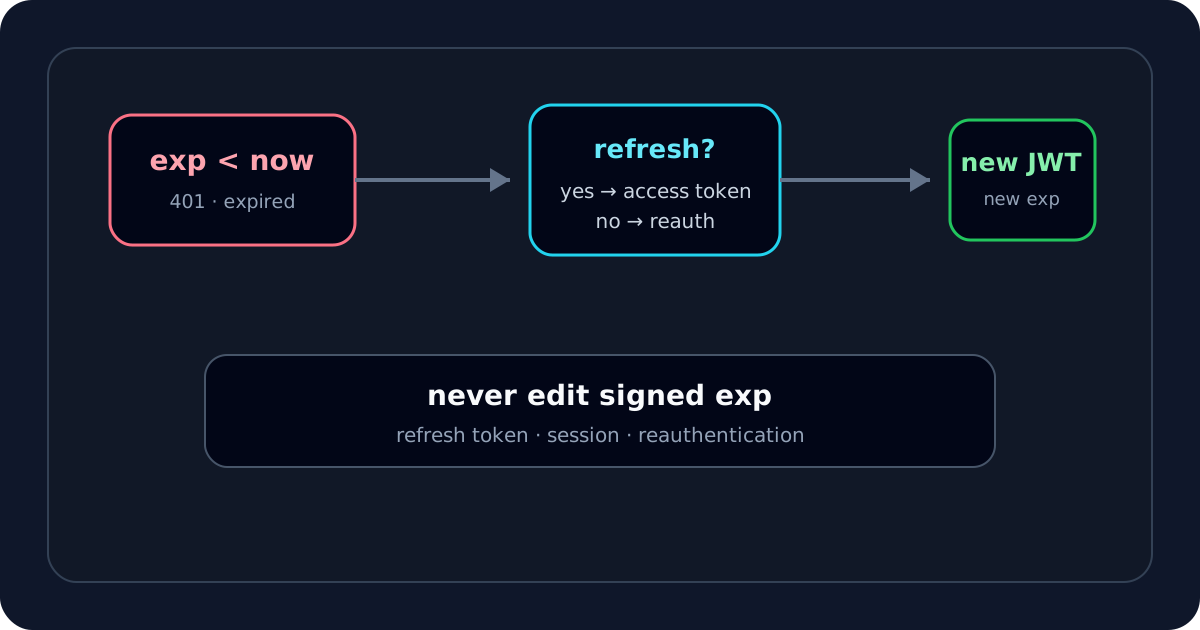
When an API tells me a JWT is expired, I do not immediately assume the token is broken. I first confirm the exp timestamp, compare it with the verifier's clock, and then decide whether I need a new token or whether the error message is hiding a different validation failure.
My quickest first step is the JWT Expiry Checker, because it shows the exact UTC expiration time together with iat and nbf.
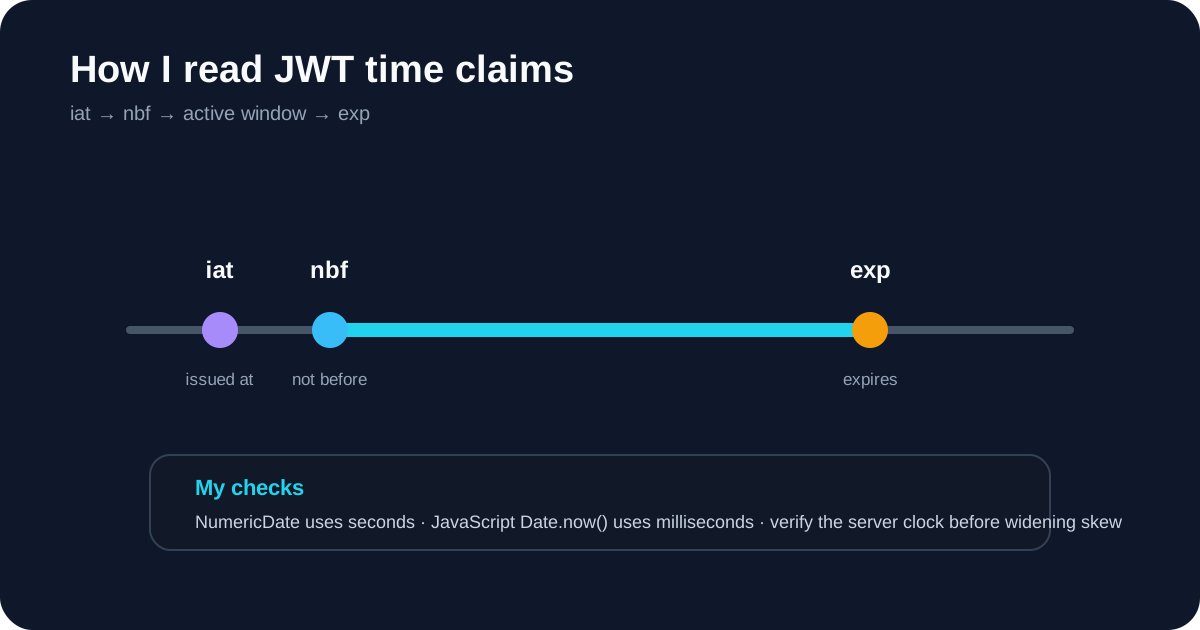
Step 1: I confirm the token is actually past exp
RFC 7519 defines exp as the point after which the token should not be accepted.
If the payload contains:
{
  "iat": 1789200000,
  "exp": 1789203600
}
I remember that those values are NumericDate seconds, not JavaScript milliseconds.
In JavaScript, the basic comparison is:
const expired = Date.now() >= payload.exp * 1000;
I prefer to inspect the readable UTC value rather than reason from the raw number, especially when logs from several systems are involved.
Step 2: I compare against the server clock, not just my laptop
The service rejecting the token uses its own clock.
If a token appears to expire earlier than expected, I compare:
- decoded
exp; - API server time;
- identity-provider time;
- configured clock tolerance.
A few seconds of skew around the boundary can be plausible. A token that expired 45 minutes ago is not a clock-skew mystery.
I also avoid “solving” clock issues by adding a huge tolerance. That effectively extends the token lifetime beyond what the issuer declared.
Step 3: I check whether the 401 really maps to expiration
For OAuth bearer access tokens, RFC 6750 defines invalid_token for tokens that are expired, revoked, malformed or otherwise invalid. So a 401 alone does not prove exp is the exact cause.
I may see errors such as:
401 Unauthorized
invalid_token
token expired
jwt expired
signature has expired
If the server logs specifically identify expiration and the decoded time confirms it, I have a clear diagnosis. If the message is generic, I keep checking.
Step 4: I choose the legitimate renewal path
If the token is truly expired, I do not edit the payload.
Changing:
{
  "exp": 1789203600
}
to a later value changes the signed bytes. The original signature should no longer verify.
The normal recovery is one of these:
- obtain a new access token through the application's refresh flow;
- reauthenticate if refresh is unavailable or invalid;
- fix the client flow if it is caching and reusing old access tokens.
I treat the decoder as an inspection tool, not a token-renewal mechanism.
How I distinguish access tokens from refresh tokens
If the application uses OAuth, I am careful not to confuse the two.
The access token is normally what the client sends to the API. A refresh token, when issued, is sent to the authorization server to obtain a new access token according to the flow's rules.
I never paste a live refresh token into a debugging site. It can be a longer-lived and more valuable credential than the expired access token I am trying to diagnose.
What I check when exp is still in the future
This is where I stop treating the problem as an “expired token” issue.
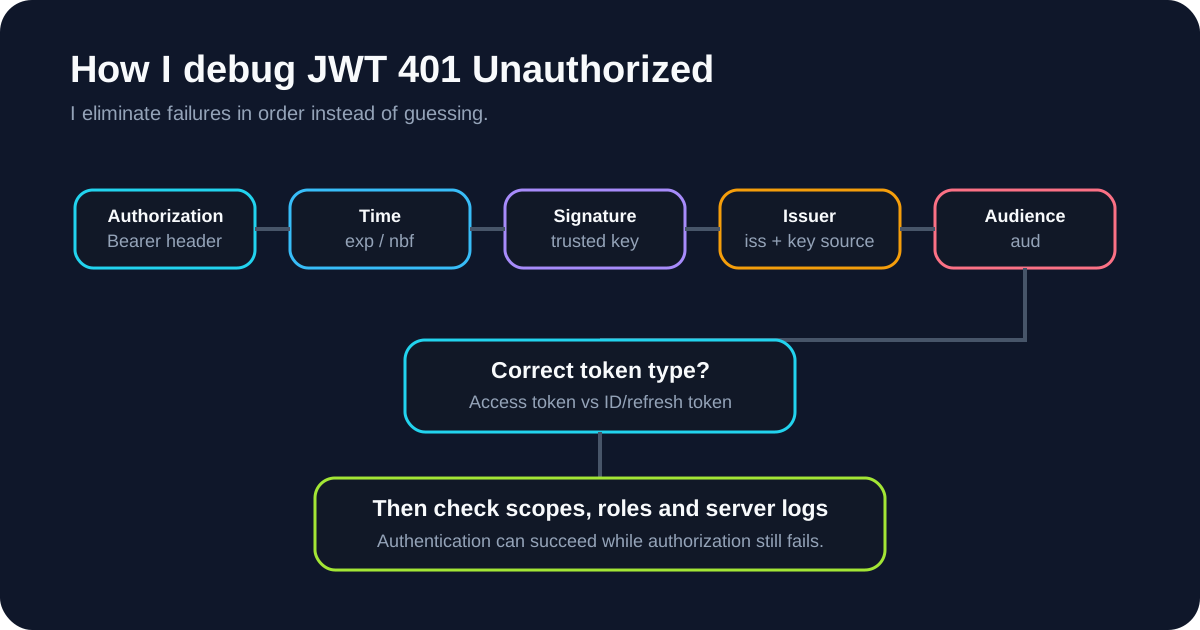
If the token appears active, I check:
nbf— is the token not active yet?- signature — does it verify with a trusted key?
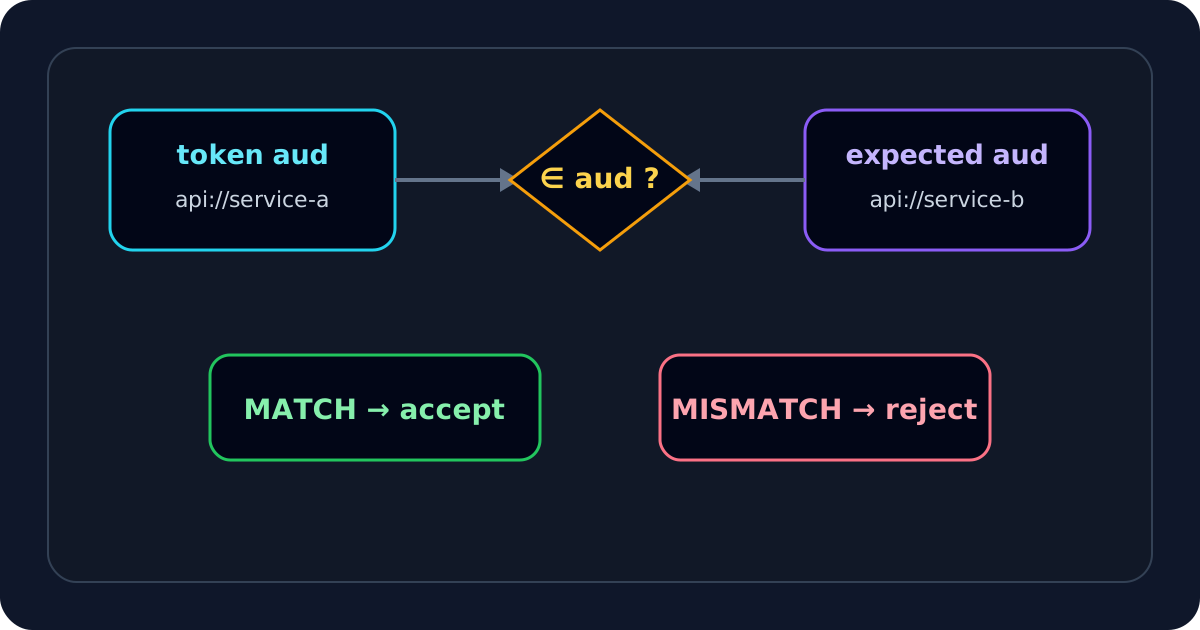
iss— is the issuer the one the API trusts?aud— is the token intended for this API?- token type — did the client send an ID token where an access token is expected?
- policy — does the API enforce a separate maximum token age or revocation rule?
The JWT Validator helps with common structure/time checks, and the JWT Debugger is where I compare issuer and audience values.
How I handle a missing exp
A missing exp does not automatically make every JWT malformed. The base JWT format supports registered claims, while individual token profiles decide which are mandatory.
So when exp is absent, I ask what kind of token I am validating.
For a short-lived bearer access token, missing expiration is something I would investigate closely. For another JWT profile, the acceptance rules may be different.
I do not invent one universal rule for every JWT use case.
Why an expired JWT can still have a valid signature
This distinction matters when I read debugging output.
A JWT can be:
- correctly Base64URL encoded;
- valid JSON;
- cryptographically signed correctly;
- issued by the right issuer;
- intended for the right audience;
- and still be expired.
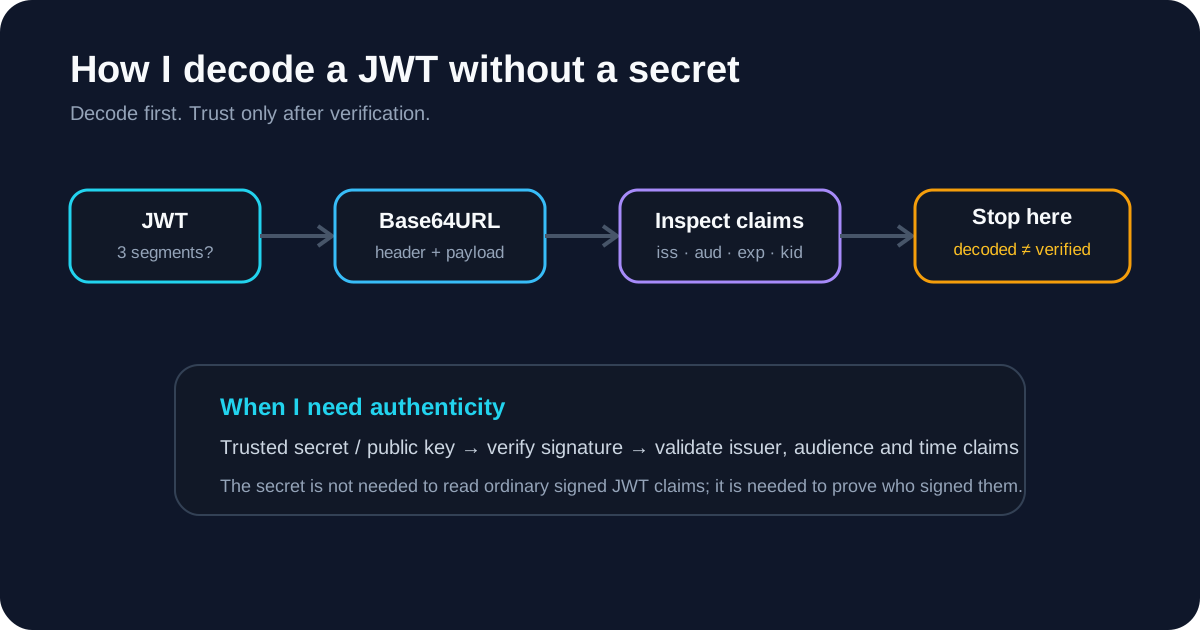
Signature verification proves integrity relative to a trusted key. Expiration is a separate claim-validation rule.
So if the JWT Signature Verifier says the signature is valid but exp is in the past, I do not treat those results as contradictory.
My expired-token recovery checklist
When I see an expired-token error, I follow this order:
- I open the JWT Expiry Checker.
- I convert
expas seconds since the Unix epoch. - I compare it with the verifier's clock.
- I inspect
iatandnbffor timeline anomalies. - I confirm whether the server error really identifies expiration.
- If the token is expired, I obtain a replacement through refresh or reauthentication.
- I never edit
expand reuse the original signature. - If
expis still in the future, I move on to signature, issuer and audience checks.
For the timestamp mechanics, I use the deeper JWT exp claim guide. If the token still returns 401 after the time window looks correct, I continue with my JWT 401 troubleshooting flow.
The practical distinction I keep in mind is simple: an expired JWT may be perfectly well-formed and correctly signed; it is rejected because its acceptance window has ended.