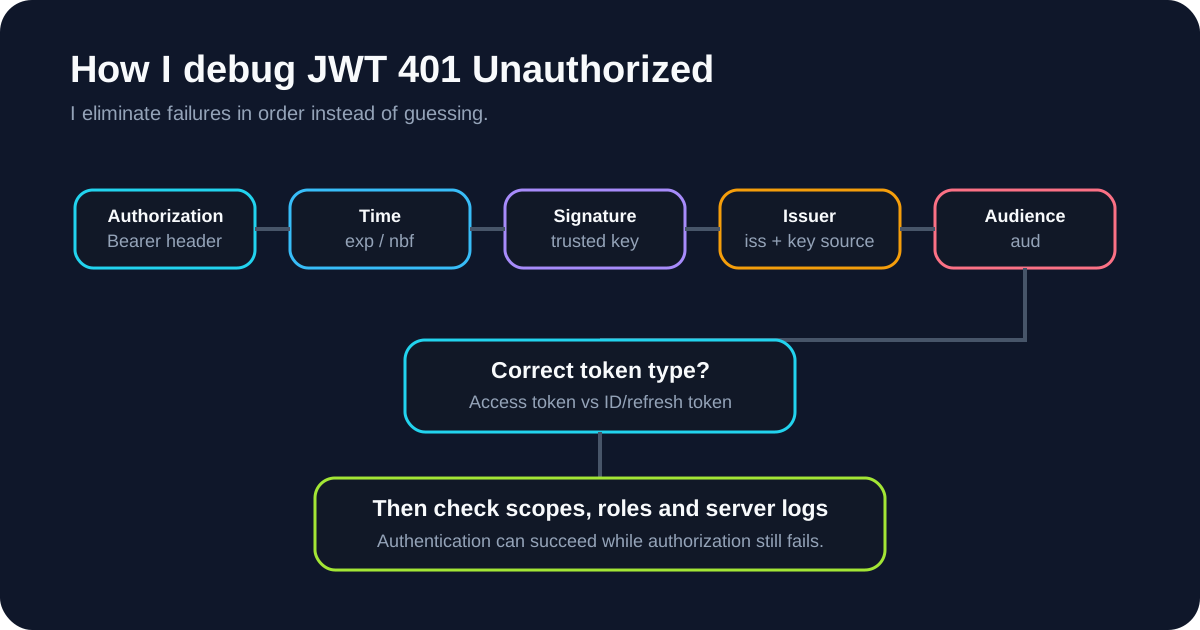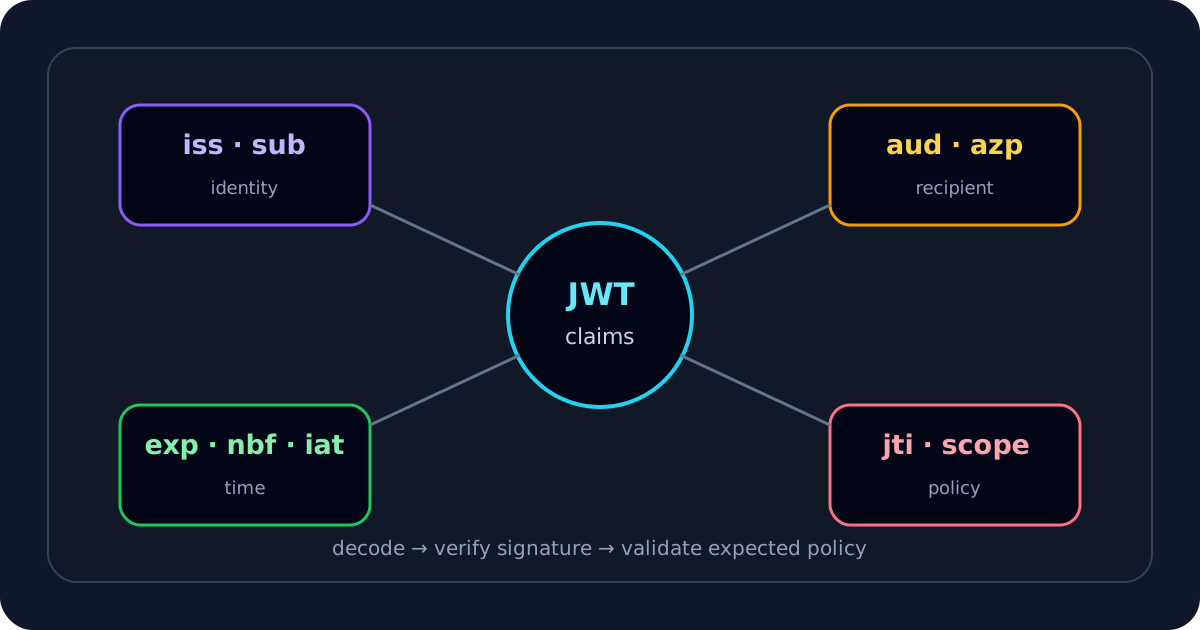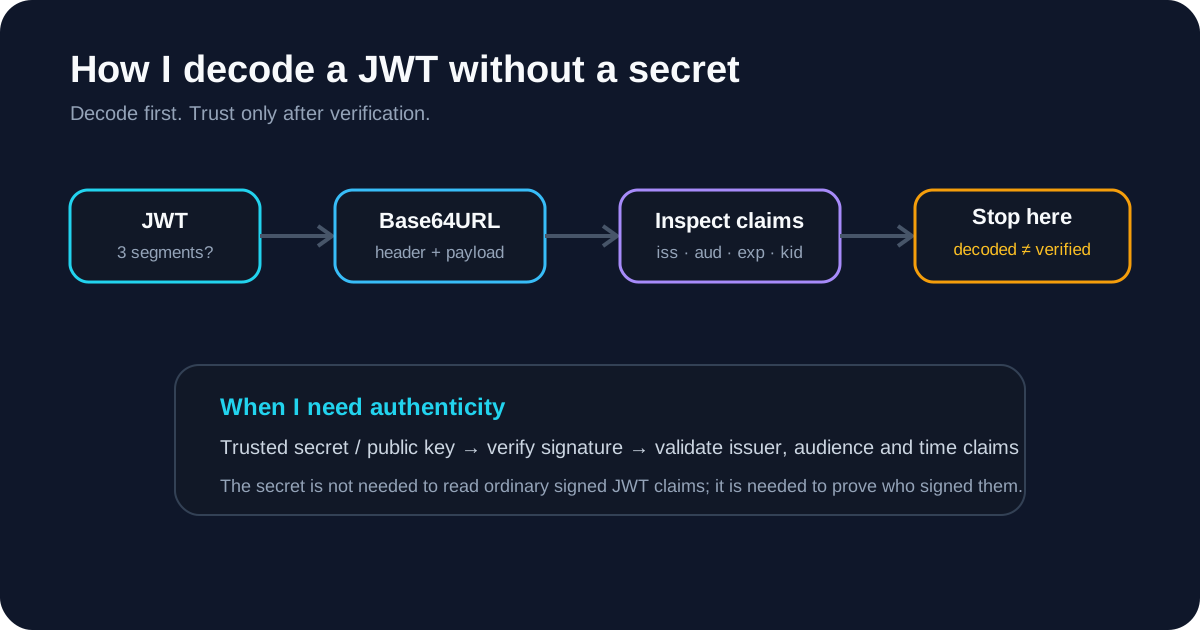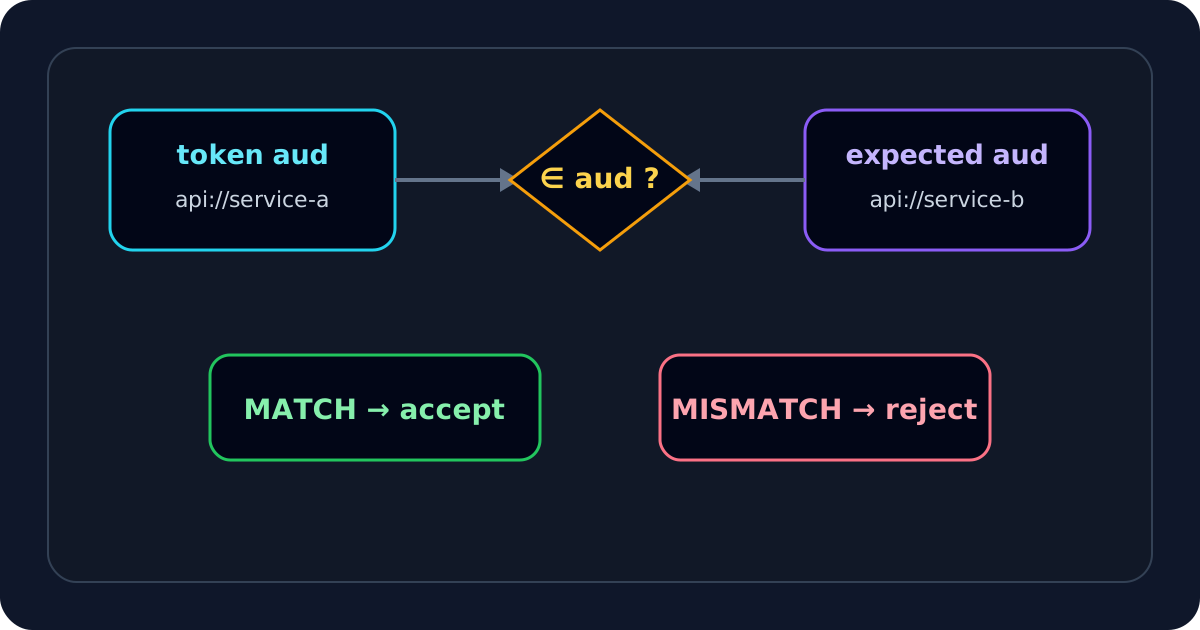
When a JWT decodes correctly, is not expired, and may even have a valid signature but the API still rejects it, aud is one of the first application-facing claims I compare with server configuration. An audience mismatch usually means the token can be authentic yet intended for a different recipient.
If I already know what the API expects, I start with the JWT Debugger and then trace how the client acquired the token.
aud can be one string or multiple strings
RFC 7519 allows both:
{ "aud": "api://orders" }
{ "aud": ["api://orders", "api://reporting"] }
A verifier should test whether its configured expected identifier is represented in the claim according to the applicable profile.
A safe application-side comparison looks conceptually like:
function audienceMatches(aud, expected) {
  if (typeof aud === "string") return aud === expected;
  if (Array.isArray(aud)) return aud.includes(expected);
  return false;
}
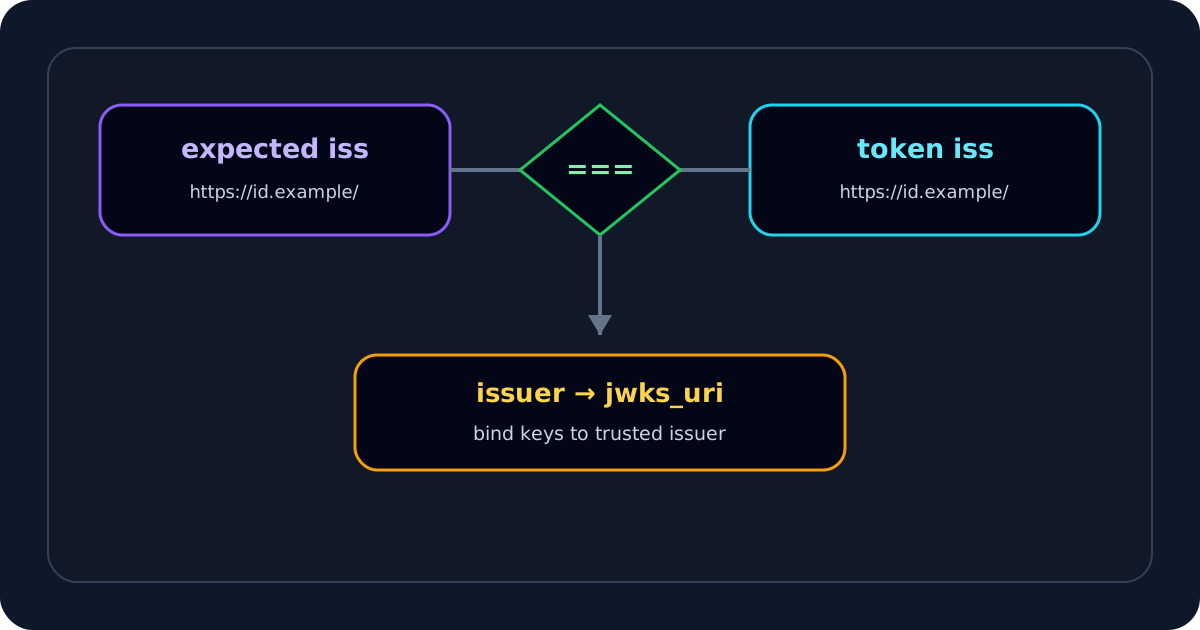
The important word is configured. I do not derive the expected audience from the same untrusted token I am validating.
I compare expected and actual values before changing settings
expected audience = api://orders-prod
actual aud        = api://orders-dev
That immediately suggests environment/resource mismatch. I do not “fix” it by accepting both values unless the application is genuinely designed for both.
Exact string comparison matters more than visual similarity
Values like these may look related but are not automatically equivalent:
api://orders
api://orders/
https://api.example.com/orders
orders-api
Some token profiles define specific comparison rules. I follow the profile rather than inventing normalization because normalization can accidentally merge distinct security identifiers.
The most common root cause: the client requested the wrong resource
Authentication can succeed while authorization token acquisition targets the wrong API.
I look for:
- scopes belonging to another resource;
- a development API identifier in production;
- copied OAuth configuration from another service;
- resource indicator/audience parameter aimed elsewhere;
- cached token originally acquired for a different API.
I fix the token request or resource configuration, then obtain a new token. Editing the JWT cannot create a valid token for a new audience.
ID Token vs Access Token is a special audience trap
In OpenID Connect, an ID Token is meant for the client application and its aud identifies that client according to the OIDC rules. A resource API usually expects an Access Token targeted to itself.
If I see:
{
  "iss": "https://login.example.com/",
  "aud": "web-client-123",
  "sub": "user-42",
  "nonce": "..."
}
while the API expects api://orders, I verify whether the frontend accidentally sent the ID Token in Authorization: Bearer.
Multiple audiences require actual membership logic
If the token contains:
{
  "aud": ["api://billing", "api://orders"]
}
an API expecting api://orders may match, subject to the token profile's other rules. A validator that expects aud to always be a string can incorrectly reject valid array forms.
Conversely, turning an array into a comma-separated string and doing substring matching is not a correct replacement for membership.
azp does not replace aud
OIDC can use azp (authorized party) in cases involving multiple audiences. I do not treat azp as a generic substitute for the audience check. It answers a related but different protocol question.
This matters when a token has several aud values and a client identifier is separately represented.
Environment and tenant mismatches often show up in iss and aud together
expected iss = https://login.example.com/prod
expected aud = api://orders-prod
actual iss   = https://login.example.com/dev
actual aud   = api://orders-dev
If both differ consistently, I investigate environment/tenant selection before cryptography.
If iss is correct but only aud is wrong, token acquisition for the resource becomes the stronger hypothesis.
Common error messages I map to the audience layer
invalid audience
audience mismatch
audience not allowed
token audience is invalid
JWTClaimValidationFailed: unexpected "aud" claim value
Framework wording varies. I still inspect actual aud and server configuration instead of searching only the error string.
Why a valid signature does not rescue a wrong audience
Consider:
signature valid  ✓
issuer valid     ✓
expiration valid ✓
audience valid   ✕
The issuer genuinely signed a token — for somebody else. Accepting it would collapse the boundary between recipients.
That is why audience validation is part of the acceptance decision rather than a cosmetic metadata check.
I do not edit aud in the payload
Changing:
{ "aud": "api://billing" }
to:
{ "aud": "api://orders" }
changes the signed bytes. The original signature should fail afterward. The correct fix is to acquire a fresh token for the intended resource.
Audience troubleshooting matrix
| Observation | Likely cause | Next move |
|---|---|---|
aud equals frontend client ID | ID Token sent to API | send proper Access Token |
aud points to dev | environment mismatch | fix client/API config |
aud is an array | validator assumes string | implement membership check |
signature/iss pass, aud fails | wrong resource | fix token acquisition |
both iss and aud wrong | wrong tenant/environment | fix discovery/authority |
same aud, still 401 | audience is not the failure | check signature/type/scope |
My deterministic audience-mismatch flow
- Preserve the original token.
- Decode
iss,aud,azp,scope, and time claims with the JWT Decoder. - Read the expected audience from API configuration.
- Handle
audas string or array without unsafe normalization. - Confirm the token is an Access Token intended for the resource, not an ID Token.
- Compare environment, tenant, resource, and scopes used during token acquisition.
- Confirm expected issuer and its trusted key path.
- Verify the signature if that layer is not already established.
- Reproduce the comparison in JWT Validator or JWT Debugger.
- Correct the client/resource configuration and obtain a new token.
The principle I keep is simple: authenticity answers who signed the token; audience answers who is allowed to consume it. Both must be true.
What I record before changing audience policy
I capture the issuer, the exact aud value or array, the resource identifier configured by the API, token type, and the authorization server environment. I redact the compact token and compare only the relevant fields with a known-good request. This evidence prevents a tempting but unsafe fix: broadening audience acceptance until the 401 disappears without proving that the new resource is intended to trust that token. If the intended resource has changed, I register that relationship explicitly in the authorization server and deploy the corresponding API policy rather than creating a wildcard audience exception. I document the approved resource relationship for future incident review.
I also check the token acquisition request. A correct API policy cannot accept an audience the client never requested, and a client can receive a token for a different resource even when its scopes look familiar. Keeping the resource, audience, and issuer configuration together makes a later migration or environment change auditable.