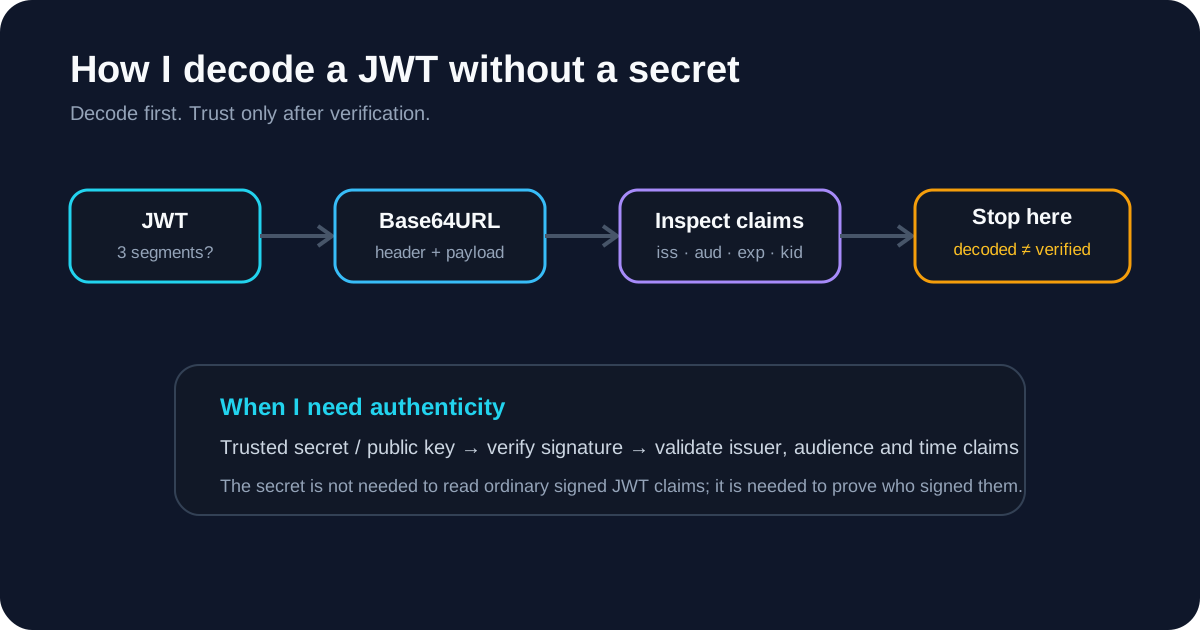
When I get a JWT and my first question is simply “what is inside this token?”, I do not start by hunting for a signing secret. I first determine whether I am looking at a normal signed JWT/JWS or an encrypted JWE. For the common three-segment signed form, I can decode the header and payload without any secret at all.
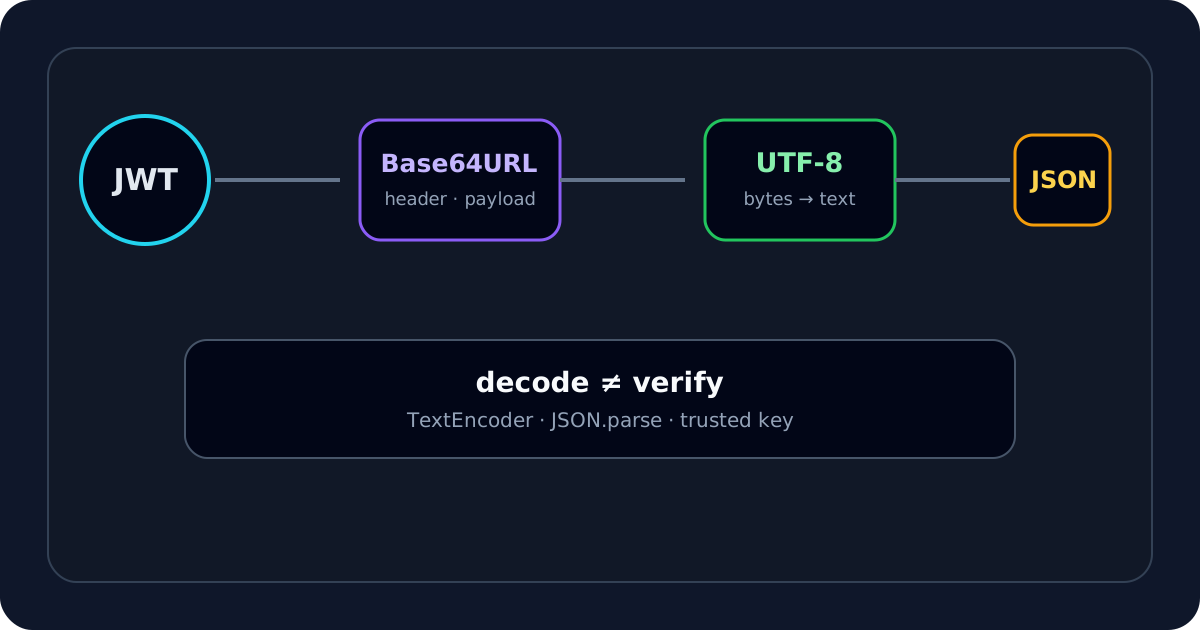
That is the distinction I keep in mind throughout debugging: decoding tells me what the token says; verification tells me whether I should trust who said it.
If I already have the token, I usually start with the JWT Decoder. It lets me inspect the header, payload, time claims and signature segment locally in the browser before I make any assumptions about the signing key.
My first check: is this a signed JWT or an encrypted JWE?
The first thing I do is count the compact segments.
A typical signed JWT/JWS looks like:
header.payload.signature
That is three dot-separated segments.
A compact JWE normally has five segments. If I see five, I stop treating the payload as something I should be able to read with Base64URL alone. A JWE is encrypted, so decoding and decryption are different jobs.
This simple check prevents one of the most common mistakes I see when troubleshooting tokens: assuming every string that starts with eyJ should reveal readable claims.
Why I can decode a signed JWT without the secret
For a normal signed JWT, the header and payload are Base64URL-encoded JSON. Base64URL is an encoding, not encryption.
When I decode the header, I may see something like:
{
  "alg": "RS256",
  "typ": "JWT",
  "kid": "key-2026-09"
}
Then I decode the payload and might see:
{
  "sub": "user_123",
  "iss": "https://auth.example.com/",
  "aud": "api://backend",
  "scope": "read:user write:profile",
  "iat": 1789000000,
  "exp": 1789003600
}
I did not need a secret to reveal either JSON object. RFC 7519 defines the JWT claims model, while RFC 7515 defines the signed JWS representation. The signing key protects authenticity and integrity; it does not make these ordinary signed claims confidential.
What I inspect first after decoding
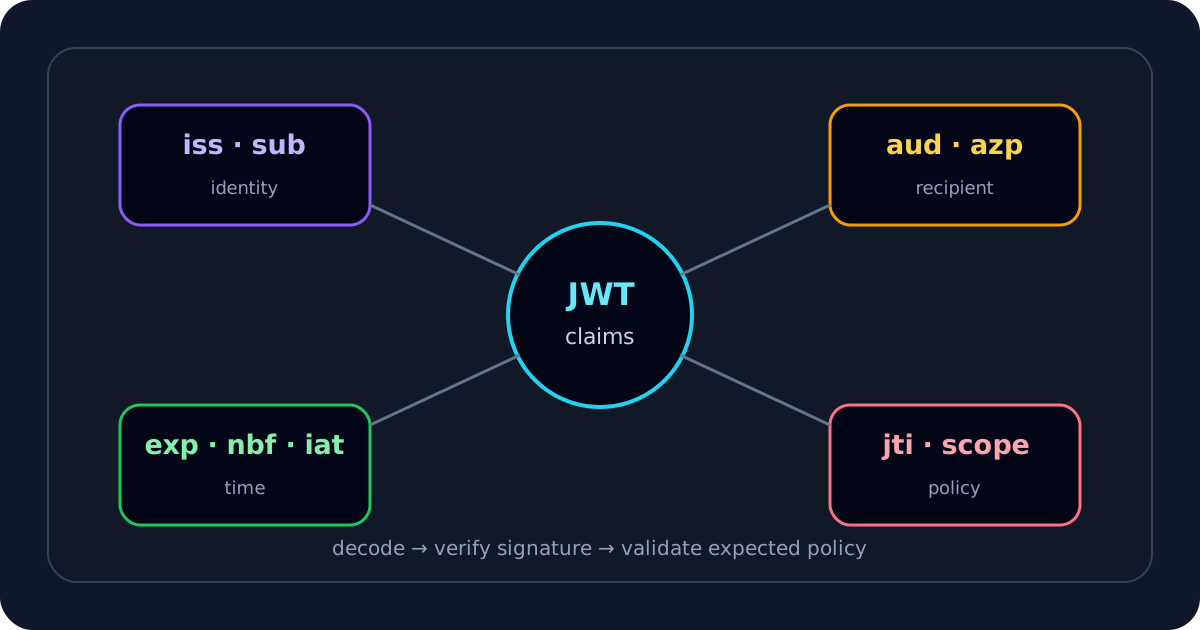
Once I can read the token, I do not scan every field with equal weight. I usually inspect these in roughly this order:
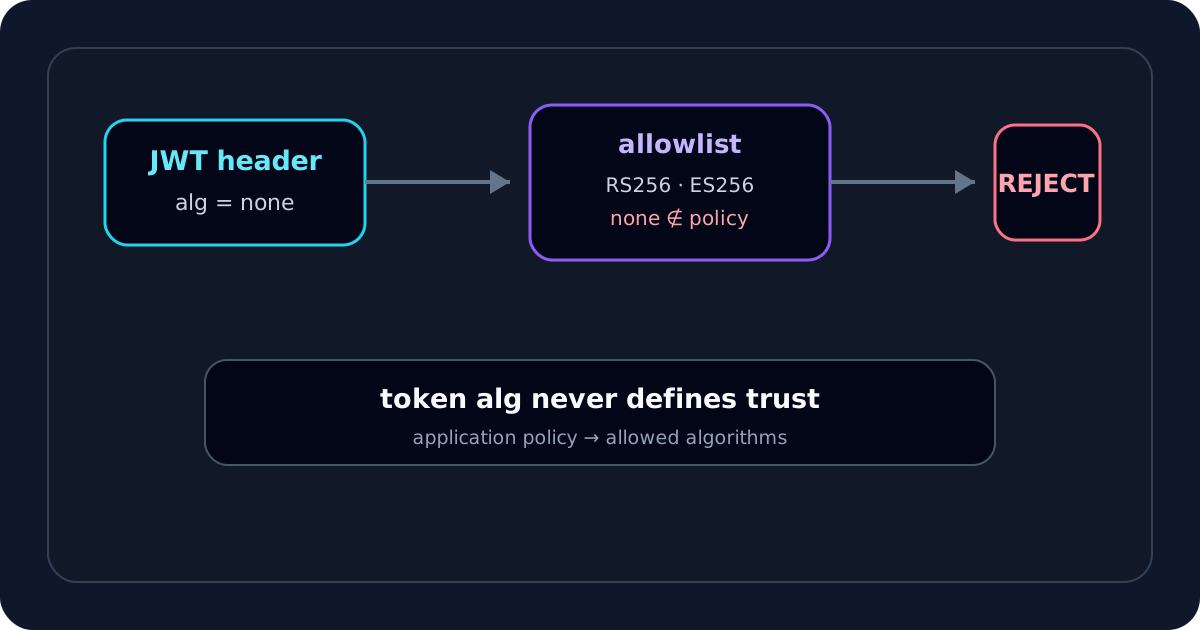
alg— what signing algorithm does the token declare?kid— is there a key identifier I will need later for key selection?iss— which issuer does the token claim created it?aud— which API or recipient is the token intended for?exp,nbf,iat— is the token expired, not active yet, or strangely old/new?scope,roles,groups— what authorization data is present?sub— which subject does the token identify?
The JWT claims guide goes deeper into these fields, but this order is enough to answer a large percentage of real authentication questions quickly.
Why I do not trust a decoded payload yet
This is where I deliberately slow down.
A decoded payload can look completely reasonable and still be attacker-controlled. Anyone can construct JSON such as:
{
  "sub": "user_123",
  "role": "admin"
}
and Base64URL-encode it into a JWT-shaped string.
If I change a signed token's payload from:
{
  "role": "user"
}
to:
{
  "role": "admin"
}
I can still decode the modified token. What I should not be able to do without authorized signing key material is create a valid signature that a correctly configured verifier will trust.
That is why I never treat “decoded successfully” as “valid JWT.” On JWTDecoder.tools, I keep those states separate: structure can be readable while the signature remains present — not verified.
When I actually need the secret or public key
I switch from decoding to verification when my question changes from:
What does this token contain?
To:
Did the trusted signer produce these exact bytes?
For HMAC algorithms such as HS256, I need the shared secret used by the issuer and verifier.
For asymmetric algorithms such as RS256, I normally need the issuer's public key, not the private signing key. The issuer signs with the private key; verifiers use the corresponding public key.
If I have trusted key material, I use the JWT Signature Verifier rather than trying to infer authenticity from the decoded claims.
How I separate decoding, verification and validation
I use three separate questions because they catch different classes of problems.
1. Decode
I ask: what is present in the token?
This is where I inspect the header, claims, timestamps and signature segment.
2. Verify
I ask: does the signature match a key I already trust?
This is a cryptographic question. The key source matters just as much as whether the math succeeds.
3. Validate
I ask: should this application accept the token?
That can depend on exp, nbf, issuer, audience, token type, scopes, roles and application policy. The JWT Validator and JWT Debugger cover those checks.
Keeping these three jobs separate prevents me from turning a successful Base64 decode into a false security conclusion.
How I handle an expired-looking token
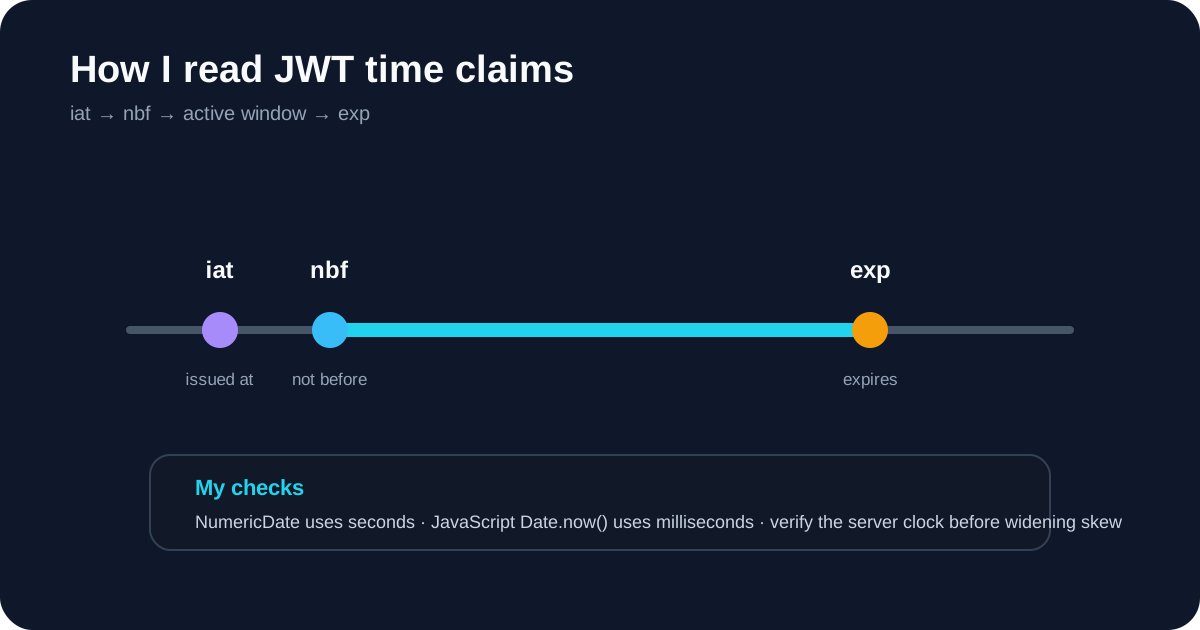
If the payload contains exp, I convert it as a NumericDate value in seconds since the Unix epoch. I do not compare it directly with JavaScript Date.now() without converting units.
If I only care about the time window, I use the JWT Expiry Checker. It also shows iat and nbf, which helps me spot a token that is not active yet or a clock-skew problem.
If exp is still in the future but the API returns 401, I continue to issuer, audience and signature checks instead of assuming expiration is the whole story.
How I treat production bearer tokens
Even though I can decode a signed JWT without a secret, I still treat production bearer tokens as credentials.
My rule is simple: if a synthetic or redacted token can reproduce the issue, I use that instead.
JWTDecoder.tools is designed so the decoder works in browser memory and does not intentionally send the pasted token to a decoding API, localStorage, cookies or the page URL. That reduces one important class of risk, but it cannot protect against software already running on the device, such as browser extensions, malware, clipboard utilities or screen-recording tools.
I never paste refresh tokens, private keys or production HMAC secrets into debugging notes or public bug reports.
My practical checklist
When I need to decode a JWT without a secret, this is the flow I use:
- I check whether the token has three segments or looks like a five-segment JWE.
- I decode the header and payload with the JWT Decoder.
- I inspect
alg,kid,iss,aud,exp,nbf,iat, scopes and roles. - I treat every decoded claim as untrusted until the signature is verified.
- If time is the suspected problem, I use the JWT Expiry Checker.
- If authenticity matters, I move to the JWT Signature Verifier with trusted key material.
- If the API still rejects the token, I compare issuer and audience in the JWT Debugger.
The key lesson I use in practice is straightforward: I do not need a secret to read a normal signed JWT, but I do need trusted key material before I believe that the readable claims are authentic.